In short
When moving from Shoptet to Shopify, the URL of almost every product and category changes. Google rankings can be kept if every old URL permanently redirects to the matching new one, starting from the first minute after the domain is switched. Most problems after a migration come from missing or wrong redirects, not from Shopify itself.
The process below is based on Google's recommendations for site moves and on Shopify and Shoptet documentation, checked as of 3 November 2026.
Why almost every URL changes when moving to Shopify
Shoptet usually places products, categories and information pages directly after the domain, with a trailing slash, for example /product-name/ or /category-name/. Brands are usually under /znacka/ (Slovak and Czech for “brand”) and the blog under /blog/.
Shopify uses fixed paths:
| Content | Shoptet | Shopify |
|---|---|---|
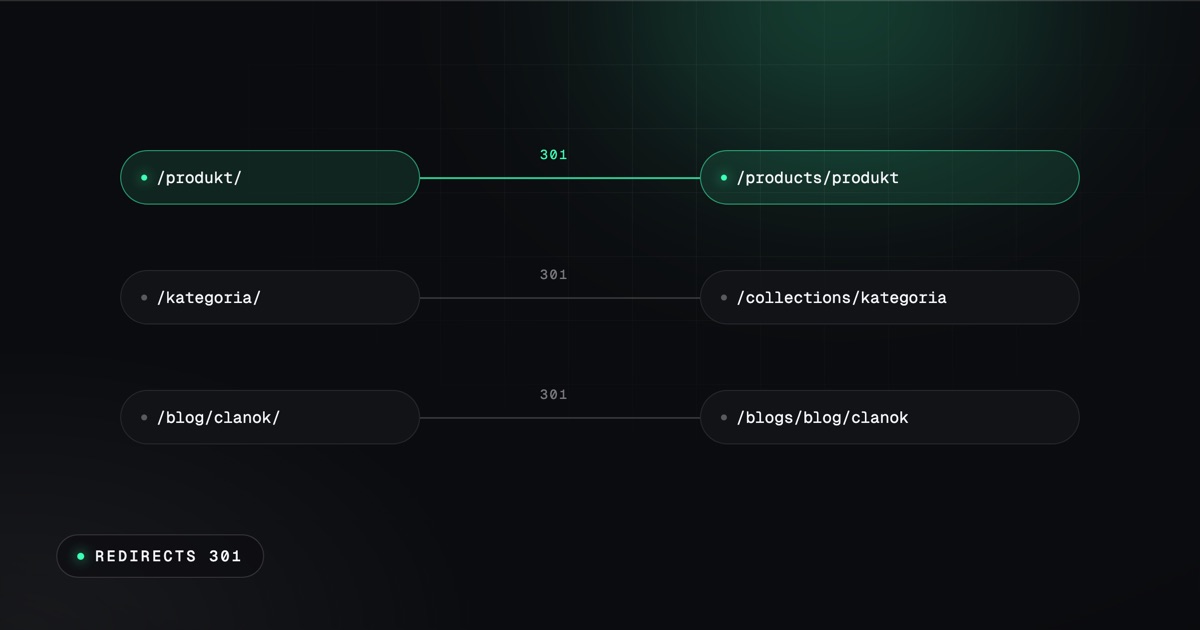
| Product | /product-name/ | /products/product-name |
| Category | /category-name/ | /collections/category-name |
| Page | /terms-and-conditions/ | /pages/terms-and-conditions |
| Article | /blog/article-name/ | /blogs/blog-name/article-name |
In a standard Shopify theme, only the last part of the URL, called the handle, can be changed. The prefixes /products/, /collections/, /pages/ and /blogs/ stay; other paths are only possible with a separately developed storefront on Hydrogen. Practically every page that Google knows therefore needs a redirect.
The redirect map: old and new URLs
The foundation is a table: every old URL in one column, the new one in the other. Google recommends collecting old URLs from several sources at once:
- the current store's sitemap.xml,
- Google Search Console, the pages and search performance reports,
- Google Analytics, pages with visits,
- existing redirects in Shoptet (in the Slovak admin: Marketing › “Základné SEO“ › “Presmerovanie adries“, that is Basic SEO › URL redirects), including those created by the “Pokročilé SEO“ (Advanced SEO) add-on,
- images and files that external sites link to.
Google's rules:
- a permanent 301 or 308 redirect,
- straight to the target, without chains; old Shoptet redirects need to be rewritten so that they lead straight to the new URL,
- every old URL to the matching new one, not all of them to the homepage, because Google may treat that as an error page,
- keep the redirects for as long as possible, at least a year.
Exporting from Shoptet
- Products: “Produkty“ › “Export“ (Products › Export), in CSV, XLSX or XML format. Exports are generated only in the store's default language; other languages have to be exported separately. Only one export can run at a time.
- Customers: “Zákazníci“ › “Export“ (Customers › Export), in CSV, XLSX or XML format. Registered customers are exported.
- Orders: “Objednávky“ › “Export“ (Orders › Export). For thousands of orders, Shoptet recommends CSV.
Watch the encoding: Shoptet can export CSV in Windows-1250, but Shopify requires UTF-8. A file with the wrong encoding breaks Slovak and Czech diacritics in names and descriptions after import.
Importing into Shopify
Shopify recommends this order: products first, then customers, then historical orders. Before importing orders, turn off new order notifications, otherwise an email goes out for every imported order.
- CSV in the Shopify admin: products and customers, each file up to 15 MB.
- Historical orders, pages and the blog through a migration app or the API.
- Matrixify: a widely used app for importing and exporting products, customers, orders, blogs and redirects, from about $20 a month. It does not list Shoptet among its source platforms, so the data is uploaded through a prepared spreadsheet.
Shopify's official migration app and Shopify's guides cover platforms such as WooCommerce, Wix and Squarespace. Shoptet is not among them, so a move from Shoptet is done through exports and your own data preparation.
Customer passwords
Customer passwords cannot be transferred from any platform, because they are encrypted outside Shopify. Customers and their order history can be transferred. With new customer accounts, customers sign in with their email and a one-time code and do not need a password. With legacy accounts, they receive an invitation to create a new password. A short email to customers after launch prevents questions about why the old password no longer works.
URL redirects in Shopify
Shopify has redirects in the admin (Content › Menus › URL redirects), with bulk import via CSV. These are permanent 301 redirects.
- The limit is 100,000 redirects, or 20 million on the Plus plan.
- A redirect only works from a URL that does not exist on Shopify. The old URL must therefore not have a live page.
- Fixed paths such as
/products,/collectionsor/cartcannot be redirected. - URLs with parameters after a question mark may not work as expected.
Shopify recommends uploading the redirects before switching the domain, so that they work from the first minute.
Language versions
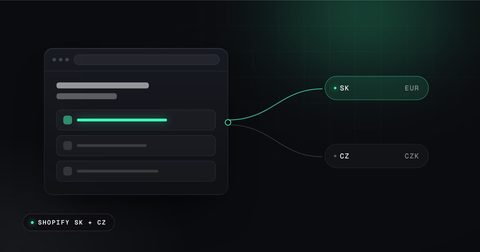
If the store sells in both Slovak and Czech, Shopify Markets recommends a subfolder on the same domain for the additional market. On a secondary market, the subfolder combines language and country, for example /cs-cz. Shopify creates the links between language versions for Google (hreflang), canonical tags, sitemap.xml and robots.txt by itself. Old language URLs from Shoptet need to be redirected in the same way as the main version.
Launch day and the weeks after
- Redirects uploaded and tested on a sample of URLs.
- Domain switched to Shopify, temporary noindex rules and the store password removed.
- Check that internal links in the text point to the new URLs, not through a redirect.
- Submit the new sitemap.xml in Google Search Console. Warnings that URLs from the old sitemap redirect are normal.
- The Change of Address tool in Search Console is not used when staying on the same domain. It is only meant for moving to a different domain.
- Monitor 404 errors and the pages report in Search Console, and add missing redirects.
Expect rankings to fluctuate for a while. Google says that a small to medium-sized site needs a few weeks for most pages to move, and larger sites take longer. According to statements by John Mueller of Google, fully processing URL changes can take several months. It is therefore worth switching during a quieter period, not just before the peak season.
Shoptet to Shopify migration checklist
- A list of all old URLs from the sitemap, Search Console, Analytics and Shoptet redirects.
- A map from each old URL to the new one, without chains and without redirecting everything to the homepage.
- Export of products, customers and orders, including other languages, in UTF-8 encoding.
- Import in the order products, customers, orders, with notifications turned off.
- Customer accounts and an email to customers about signing in.
- Redirects uploaded to Shopify before switching the domain.
- Language versions in Markets and redirects for their old URLs.
- New sitemap.xml in Search Console and monitoring of 404 errors.
- Switch outside the main season, and redirects kept for at least a year.
Whether the move pays off is discussed in the article Shoptet or Shopify. The move itself, including redirects, is described on the page moving from Shoptet to Shopify.
Sources, checked 3 November 2026: Google, site moves with URL changes, Google, Change of Address tool, Shopify, store routes, Shopify, redirects when migrating, Shopify, URL redirects, Shopify, migration checklist, Shopify, importing products, Shopify, importing customers, Matrixify, Shopify, international domains, Shoptet, product export, Shoptet, URL redirects, Search Engine Journal on John Mueller's statement.