In short
A Shopware to Shopify migration means rebuilding the store on Shopify and moving products, customers and orders with a third-party migration app or prepared CSV files, because Shopify's own Store Migration app does not list Shopware as a source as of 4 November 2026. Customer passwords cannot be transferred, and almost every URL changes, so each old URL needs a 301 redirect before the domain is switched. The move pays off most clearly for stores on a paid Shopware plan (Rise from €600 a month excl. VAT) or still on Shopware 5; a store on the free Community Edition with a lot of custom logic may be better off staying.
All prices, limits and features below come from the official pages of Shopware, Shopify, the app developers and the legislators, checked on 4 November 2026. The guide is written for a store that sells in Germany, with notes where Austria and Switzerland differ, for example an international brand running a Shopware store for the DACH market. It is not legal or tax advice.
Shopware editions, prices and the Shopware 5 end of life
Shopware publishes four editions on its pricing page. According to Shopware, the price of the paid plans depends on gross merchandise value (GMV) and other individual factors; the page does not give GMV thresholds per plan.
| Edition | Price | Note |
|---|---|---|
| Shopware Community Edition | €0 licence | hosting, maintenance and the implementation partner are the merchant's own choice and cost; community support only; above €1 million GMV in the previous 365 days, a paid plan is needed to keep access to the Shopware Account and Store, while the software itself stays usable |
| Shopware Rise | from €600 a month excl. VAT | 30 days free, direct support from Shopware |
| Shopware Evolve | from €2,400 a month excl. VAT | extended support with phone access |
| Shopware Beyond | custom | 24/7 priority support |
Shopware 5: Shopware's documentation stated that development of Shopware 5 ended at the end of July 2024 and that no security fixes were planned after that date. That documentation page returned HTTP 410 (removed) on 4 November 2026; the same date is listed on the tracker endoflife.date. The official Shopware 5 repository on GitHub now says it is no longer actively monitored or maintained. Paid security support for Shopware 5 is offered by safefive, an initiative independent of Shopware.
A Shopware 5 store therefore faces a rebuild either way: to Shopware 6, for which Shopware's Migration Assistant connects an existing shop such as Shopware 5 with Shopware 6, or to another platform such as Shopify. On Shopware 6, the newest release listed in Shopware's release notes on 4 November 2026 is 6.7.16.0. Shopware ships one major release a year and a minor release on the first Monday of every month.
Shopify plan prices in Germany, Austria and Switzerland
Shopify's plan price depends on the country where the business is registered. Hosting, unlimited bandwidth and an SSL certificate are included in every plan, so there is no separate server to run.
| Plan | Germany | Austria | Switzerland |
|---|---|---|---|
| Basic | €19 / €27 | €24 / €32 | CHF 21 / CHF 29 |
| Grow | €56 / €74 | €69 / €92 | CHF 59 / CHF 79 |
| Advanced | €289 / €384 | €289 / €384 | CHF 269 / CHF 359 |
| Plus | from €2,100 | from €2,100 | from €2,100 |
- In Germany, Shopify offers 3 days free and then €1 a month for 3 months on most plans, which is enough time to build and test the new store before launch.
- Billing yearly lowers the German Grow plan from €74 to €56 a month, €216 less per year.
- Shopify's pricing page does not say whether these prices include VAT, and notes that prices can vary by location.
For comparison: the entry price of Shopify Plus (from €2,100 a month) is below that of Shopware Evolve (from €2,400 a month excl. VAT), and Shopify Grow billed yearly (€56 a month in Germany) is a fraction of Shopware Rise (from €600 a month excl. VAT). Against the free Community Edition, Shopify is the more expensive option in licence terms; what counts there is the cost of hosting and maintenance, which has no single public price.
Shopify Payments in Germany, Austria and Switzerland
Shopify Payments is available to businesses in Germany, Austria and Switzerland. For Germany, neither the German pricing page nor the help centre lists the rates; Shopify only says they depend on the plan, and the rates are shown at signup and in the admin under Settings > Payments. Austria and Switzerland have published rates:
| Plan | Austria | Switzerland | Fee for third-party providers |
|---|---|---|---|
| Basic | 2% + €0.25 | 2.95% + CHF 0.30 | 2% |
| Grow | 1.9% + €0.25 | 2.75% + CHF 0.30 | 1% |
| Advanced | 1.7% + €0.25 | 2.55% + CHF 0.30 | 0.6% |
| Plus | 1.5% + €0.25 | 2.3% + CHF 0.30 | 0.2% |
- In Austria, Klarna through Shopify Payments costs 2.99% + €0.35 (2.19% + €0.35 on Plus) and EPS 1.75% + €0.25 on every plan.
- In Switzerland, TWINT costs from 1.75% + CHF 0.30 on Basic down to 1.35% + CHF 0.30 on Plus.
- The fee for third-party providers is the same in all three countries and applies to every payment through an external or alternative gateway, even when Shopify Payments is active.
- PayPal is exempt from that fee, but only if Shopify Payments is the store's primary payment provider.
For the migration, this means: payment providers that a Shopware store connects through plugins either move to Shopify Payments or connect through the provider's Shopify app, and in the second case the transaction fee from the table is added on top of the provider's own fee.
What can be migrated from Shopware to Shopify
Shopware 6 exports data in the admin under Settings > Automation > Import/Export, as CSV in UTF-8 with semicolons as separators. The object types include products, customers, categories, orders, media, newsletter recipients, properties, variant configuration, cross-selling, promotions and advanced prices. Shopify recommends importing products first, then customers, then historical orders, so that orders can be linked to both.
| Data | Can be migrated | How and what to watch |
|---|---|---|
| Products and variants | yes | product CSV up to 15 MB per file or a migration app; Shopify allows up to 2,048 variants and up to three options per product, so products with more than three variant properties in Shopware need to be restructured |
| Categories | yes | become collections on Shopify, with a flat URL |
| Base price data | yes | Shopware's fields purchaseUnit (sales unit) and referenceUnit (basic unit) are mapped to Shopify's unit price fields |
| Customers | yes | customer CSV up to 15 MB or a migration app; newsletter consent goes into the field "Accepts Email Marketing" (yes or no) |
| Customer passwords | no | see the section on customer passwords |
| Historical orders | yes | through a migration app or the API; turn off new order notifications before the import |
| Pages and blog posts | yes | through a migration app or the API; the layout is rebuilt in the Shopify theme |
| URLs | no | the URL structure changes; old URLs are redirected with Shopify's URL redirects |
Changing the option columns in a later product CSV import deletes the existing variant IDs and creates new ones, which can break connections to other apps. The product structure should therefore be final before the first import.
Migration tools: Store Migration app, LitExtension, Next-Cart, Matrixify
Shopify's free Store Migration app supports Square, WooCommerce, Etsy, Wix, Amazon, eBay, Clover and Lightspeed. Shopware is not on the list, and Shopify's migration guides do not cover it either. A Shopware store therefore moves through a third-party app that reads Shopware directly or through spreadsheets prepared from the Shopware export.
| App | Shopware as source | Price and scope |
|---|---|---|
| Shopify Store Migration | no | free, by Shopify; product and customer data through CSV for unsupported platforms |
| LitExtension Store Migration | yes | free to install, price by number of migrated entities, billed in USD; free demo with 20 products, 20 orders and 20 customers; lists SEO URLs with 301 redirects |
| Next-Cart Store Migration | yes | free up to 50 each of products, customers, orders, blog posts and pages; Basic $150 a month for 10,000 of each, Standard $350 for 50,000, Advanced $550 for 100,000; URL redirects on every plan |
| Matrixify | no | import from Excel, CSV or Google Sheets; free for 10 items each, Basic $20 a month (among other limits 2,000 customers, 1,000 orders and 10,000 redirects), Big $50, Enterprise $200 |
LitExtension and Next-Cart connect to the Shopware store and transfer the data themselves. Matrixify does not list Shopware as a source platform, but it imports products, customers, orders, pages, blogs and redirects from a spreadsheet, which suits a migration where the Shopware export is cleaned up first. Next-Cart notes that it may bill its fees separately from the Shopify invoice.
Customer passwords and customer accounts
Shopify's help centre says customer passwords cannot be migrated from another online store using a CSV. Shopware stores passwords as an encrypted hash value. After the import, customers therefore cannot sign in with their old password:
- Legacy customer accounts: the store invites customers to create a new password.
- New customer accounts: customers sign in with their email address and a one-time 6-digit code; according to Shopify, a password is not required. The password question disappears for the customer.
New customer accounts also matter for the withdrawal button, see the section on legal requirements. A short email to customers on launch day explains why the old password no longer works.
SEO: URL structure and 301 redirects
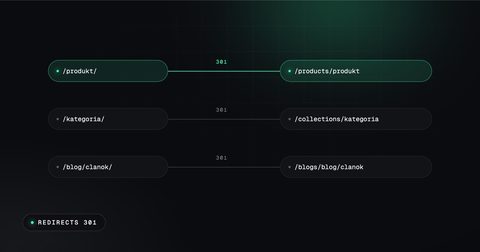
Shopware 6 builds its URLs from editable templates. Shopware's documentation shows the product template {{ product.translated.name }}/{{ product.productNumber }}, which gives a URL made of the product name and product number, and uses the category breadcrumb for category URLs, for example /category/subcategory/. Shopify uses fixed paths in a standard theme:
| Page | Shopware 6 | Shopify |
|---|---|---|
| Product | /product-name/product-number | /products/handle |
| Category | /category/subcategory/ | /collections/handle |
| Content page | URL set in the landing page settings | /pages/handle |
Templates can be changed per shop, and Shopware 5 used its own logic, so the old URLs should be collected from the live store (sitemap, Google Search Console, analytics), not derived from the template.
Google's rules for the redirects: permanent 301 or 308 redirects, straight to the final URL without chains, each old URL to the matching new one and not all of them to the homepage, and redirects kept for as long as possible, generally at least one year. According to Google, a small to medium-sized site needs a few weeks for most pages to move.
URL redirects in Shopify are in the admin under Content > Menus > View URL redirects, with a CSV import:
- The limit is 100,000 redirects per store, or 20,000,000 on Plus.
- A redirect only works if the old URL no longer loads a valid page.
- Paths such as /products, /collections, /collections/all and URLs starting with /apps, /cart, /orders or /shop cannot be redirected.
- URLs with query strings might not work as expected.
- Shopify recommends setting up redirects before transferring the domain.
Several countries: many DACH stores on Shopware run separate .de, .at and .ch domains. Shopify supports subfolders, subdomains and country domains for its Markets, recommends subfolders for a first setup and creates hreflang tags automatically. Country domains need the most time to build SEO, according to Shopify. If the domain structure changes, every old domain needs its own redirects. The method for the redirect map is described step by step in the article on redirects when moving from Shoptet to Shopify; it works the same way for Shopware.
Shopware plugins versus Shopify apps
A Shopware plugin runs inside the shop's own installation and must be compatible with its version; the withdrawal button plugin by D-MIT-S, for example, states compatibility from Shopware 6.5 to 6.7.16 and costs €3.99 a month net. A Shopify app connects to the store from outside and is billed through the Shopify invoice, often in US dollars even when the price is set in euros, as with Lexware Office+. Shopware plugins cannot be installed on Shopify, so every active plugin needs a decision:
- a built-in Shopify feature replaces it,
- an app from the Shopify App Store replaces it,
- custom development is needed,
- or the function is no longer needed and is dropped.
| Function | On Shopify | Price |
|---|---|---|
| Withdrawal button | self-serve cancellations with new customer accounts, or an app such as Revoq | built in, or Revoq free, $9 or $25 a month |
| Legal texts with update service | IT-Recht Kanzlei with a Shopify interface | from €9.90 a month net |
| Base price | built-in unit price | part of Shopify |
| Invoices and Lexware Office | Lexware Office+ app | free, €8.99 or €18.99 a month |
| DATEV export | for example DATEV Export & Steuern or Ledgercloud | $14.99 a month, or from $25 a month |
| Data import and redirects | Matrixify | free, $20, $50 or $200 a month |
German legal requirements that must keep working
Withdrawal button under § 356a BGB
Since 19 June 2026, online stores in Germany must offer an electronic withdrawal function, according to the consumer association Verbraucherzentrale and Shopify's help centre. Under § 356a BGB, the button is labelled "Vertrag widerrufen" (withdraw from contract) or with equally clear wording, is permanently available during the withdrawal period and placed prominently. The store may ask only for the name, details identifying the contract and the channel for the confirmation; a second button "Widerruf bestätigen" (confirm withdrawal) sends the withdrawal, and receipt is confirmed without delay on a durable medium with date and time.
- Shopware: according to Shopware, a built-in withdrawal button came with release 6.7.9.0 in April 2026 and was backported to 6.6. It is part of the core, available from the Community Edition upward, with no extra licence fee. A Shopware store on 6.6 or 6.7 may therefore already have a working button that must not be lost in the move.
- Shopify: since 18 June 2026, self-serve returns also support cancellations, and Shopify says its return and cancellation rules can help meet the requirement. They do not work with legacy customer accounts; with new customer accounts, customers sign in with email and a code and withdraw on the order status page. Shopify's help centre does not describe a route for shoppers without an account. Apps such as Revoq state that their form works without a login, also for guests.
- Austria: § 13a FAGG requires the same button, according to the Austrian Economic Chamber (WKO) for contracts concluded after 30 September 2026, so from 1 October 2026.
- Switzerland is not in the EU, so the EU directive behind the button does not apply there directly. Whether a Swiss store selling into the EU needs it should be checked separately.
Order button
Under § 312j(3) BGB, the button that places the order must be labelled only with the words "zahlungspflichtig bestellen" (order with obligation to pay) or equally unambiguous wording; otherwise no contract is formed. The label of the Shopify checkout button should therefore be checked in German before launch.
Legal texts
IT-Recht Kanzlei offers its legal text interface for Shopify as well as for Shopware 5, Shopware 6 and Shopware Cloud; the Starter package costs €9.90 a month net. Händlerbund lists its terms interface only for JTL, Shopware 6 and WordPress, not for Shopify. A store that receives automatic text updates through the Händlerbund interface in Shopware loses that automation after the move and needs another update route.
Base price under PAngV
Under § 4 of the German Price Indication Ordinance (PAngV), goods sold by weight, volume, length or area must show the base price next to the total price, unambiguously, clearly recognisably and legibly. Under § 5 PAngV, the base price refers to 1 kg, 1 l, 1 m³, 1 m or 1 m². Shopify has a built-in unit price that Online Store 2.0 themes show automatically on product, collection, cart and checkout pages; older themes need code changes. Austria has its own rule in § 10a of the Price Labelling Act (PrAG), and in Switzerland Art. 5 of the Price Indication Ordinance (PBV) requires the base price for measurable goods.
Invoices, Lexware Office and DATEV
- Lexware Office+ (developer Appify) creates invoices, credit notes and packing slips in Lexware Office: free plan, Basic €8.99 (billed $10 a month), Standard €18.99 ($22 a month). It requires a Lexware Office account, works with DATEV and is available in German only.
- DATEV Export & Steuern (NordheideStudios) turns orders into a DATEV booking batch in EXTF format and costs $14.99 a month.
- Ledgercloud: DATEV Buchhaltung exports orders and payments from all payment channels for DATEV, from $25 a month for fewer than 100 orders a month.
The tax advisor should confirm the export format before launch, because the bookings now come from a different system.
Shopify Tax after the move
A migrated store is a new Shopify store. For EU stores created on or after 13 May 2026, Shopify Tax is free up to €100,000 in sales over the store's whole lifetime, then costs 0.25% per order (0.15% on Plus), capped at €0.99 per order.
When staying on Shopware is the better choice
A move to Shopify is not always the better decision. Staying on Shopware usually makes more sense when:
- the store runs on the free Community Edition below €1 million GMV, with reliable hosting and a developer who maintains it. On Shopify, the plan and app fees come on top every month.
- products need more than three variant options, which Shopify does not allow per product without restructuring the catalogue.
- the business logic sits in custom plugins, the Rule Builder or a direct ERP integration that would have to be rebuilt as apps or custom development.
- the URL structure is part of the SEO strategy, for example nested category paths, which Shopify's fixed /products/ and /collections/ paths cannot reproduce.
- the store has more than 100,000 URLs to redirect and does not plan to move to Plus.
- the store is already on Shopware 6.6 or 6.7 with the built-in withdrawal button, the Händlerbund interface and a working DATEV export, and none of these is causing problems.
Shopify tends to fit better when the store pays for Rise or Evolve, still runs on Shopware 5, struggles with server maintenance and updates, or wants to add markets and sales channels without its own development team. A neutral comparison with another open-source option is in Shopify or WooCommerce.
Cost and time example from public prices
A model, not a real store: a German store on Shopware Rise moves to Shopify Grow, billed yearly. Only public prices are used; payment fees are left out on both sides because Shopify does not publish its German card rates.
| Item | Calculation | First year |
|---|---|---|
| Shopify Grow, billed yearly | 12 × €56 | €672.00 |
| IT-Recht Kanzlei Starter | 12 × €9.90, excl. VAT | €118.80 |
| Lexware Office+ Basic | 12 × $10 | $120 |
| Revoq Essential | 12 × $9, or $0 with self-serve cancellations | $108 |
| Next-Cart Basic | one month, up to 10,000 products, customers and orders each | $150 |
| Migration at Alpinefy | one-off, including redirects | from €2,900 |
- Running costs in euros: 672.00 + 118.80 = €790.80 in the first year.
- Apps in dollars: 120 + 108 + 150 = $378.
- With the one-off migration: from €3,690.80 plus $378.
- For comparison, the Shopware Rise licence alone costs from 12 × €600 = €7,200 a year excl. VAT.
Not included: payment fees, the Lexware Office subscription, the store's own working time and VAT where it applies. For a store on the Community Edition, this comparison does not work, because its licence costs €0; there the decision rests on hosting, maintenance and development costs. A full overview of running Shopify costs in DACH is in What an online store costs in 2026.
Time: there is no neutral public figure for how long a migration takes. Agencies publish their own estimates: Limely names 10 to 16 weeks for a Shopware to Shopify migration, Ask Phill 4 to 10 months for Shopify Plus projects. The fixed points from official sources are these:
- Shopify's trial of 3 days plus 3 months at €1 a month can cover the build phase.
- Rankings need a few weeks for most pages of a small to medium-sized site to move, according to Google.
- Redirects stay in place for at least a year.
- The withdrawal button must work from the first day on Shopify.
Step plan for a Shopware to Shopify migration
- Inventory: list all products, variants, properties, customer groups, active plugins, payment and shipping methods, legal text interfaces and integrations such as ERP or DATEV.
- Decide per plugin: Shopify feature, app, custom development or drop.
- Collect URLs: from the sitemap, Google Search Console, analytics and existing Shopware redirects.
- Set up Shopify: plan, Shopify Payments or other providers, shipping, taxes and Markets for Germany, Austria and Switzerland.
- Build the theme with unit price, legal texts, cookie banner and a checked order button.
- Import products, then customers, then historical orders, with order notifications turned off.
- Check the data: prices, base prices, variants, images, stock and newsletter consent.
- Set up the withdrawal function: new customer accounts with self-serve cancellations, or an app that also works for guests.
- Connect accounting: Lexware Office or DATEV export, confirmed with the tax advisor.
- Upload redirects and test them on a sample of the most important URLs.
- Place test orders: successful and failed payments, refund, cancellation and withdrawal.
- Switch the domain, submit the new sitemap in Search Console, email customers about signing in and monitor 404 errors for several weeks.
Checklist before switching
- Shopware edition and version known: Community, Rise, Evolve or Beyond, Shopware 5 or 6.
- Licence and hosting costs today compared with the Shopify plan and apps.
- A migration app chosen that lists Shopware as a source, or a spreadsheet route through Matrixify.
- Products with more than three variant options restructured.
- Base price data (sales unit and basic unit) mapped to Shopify's unit price.
- Newsletter consent transferred to "Accepts Email Marketing".
- Decision made between new and legacy customer accounts, and the customer email written.
- A complete map from every old URL to its new URL, without chains, not to the homepage, under 100,000 entries or Plus planned.
- Separate .de, .at and .ch domains planned in Markets, with redirects for each.
- Withdrawal button working on Shopify, including for guests; in Austria for contracts from 1 October 2026.
- Checkout button labelled "zahlungspflichtig bestellen" or equivalent.
- Legal texts connected through an interface that supports Shopify.
- Lexware Office or DATEV export set up and confirmed with the tax advisor.
- Shopify Payments as the primary provider, so that PayPal stays free of the transaction fee.
- Switch planned outside the peak season, redirects kept for at least a year.
A store that wants a second opinion before the decision can start with an e-shop audit. The migration itself, with products, customers, orders and a redirect for every old URL, is part of the Shopify agency service for DACH; at Alpinefy, a migration starts from €2,900 and a new Shopify store from €4,000. Alpinefy is not a VAT payer, so the quoted price is final.
Sources, checked on 4 November 2026: Shopware pricing, endoflife.date, Shopware, Shopware 5 repository, safefive, Shopware release notes, Shopware Migration Assistant, Shopware Import/Export, Shopware SEO URL templates, Shopware withdrawal button, D-MIT-S plugin, Shopify pricing (DE), Shopify pricing (AT), Shopify pricing (CH), Shopify hosting and SSL, Shopify Payments countries, Shopify Payments in Germany, third-party payment providers, Shopify Store Migration, Shopify migration guides, Shopify migration checklist, importing products, variants and options, 2,048 variants, importing customers, customer accounts, LitExtension, Next-Cart, Matrixify, Google, site moves with URL changes, Shopify URL redirects, redirects when migrating, Shopify standard URLs, international domains, § 356a BGB, Verbraucherzentrale, Shopify, EU right of withdrawal, self-serve cancellations, self-serve returns setup, Revoq, WKO on the withdrawal button, § 312j BGB, IT-Recht Kanzlei, Händlerbund, § 4 PAngV, § 5 PAngV, § 10a PrAG, PBV (Switzerland), Shopify unit pricing, Lexware Office+, DATEV Export & Steuern, Ledgercloud, Shopify Tax, Limely, Ask Phill.
Frequently asked questions
Can Shopify's own migration app import a Shopware store?
No. As of 4 November 2026, Shopify's free Store Migration app supports Square, WooCommerce, Etsy, Wix, Amazon, eBay, Clover and Lightspeed, but not Shopware. Third-party apps such as LitExtension (priced by number of records) and Next-Cart (free up to 50 records each, Basic $150 a month for 10,000 each) list Shopware as a source.
Can customer passwords be moved from Shopware to Shopify?
No. Shopify's help centre states, as of 4 November 2026, that customer passwords cannot be migrated from another online store using a CSV. With Shopify's new customer accounts, customers sign in with their email and a one-time 6-digit code and need no password; with legacy accounts, the store invites them to create a new one.
Is Shopify cheaper than Shopware?
Against the paid Shopware plans, yes: in November 2026, Shopify Grow costs €56 a month in Germany billed yearly, while Shopware Rise starts at €600 and Evolve at €2,400 a month excl. VAT. Against the free Shopware Community Edition (€0 licence), Shopify costs more, and the comparison depends on hosting and maintenance costs.
Is Shopware 5 still supported?
No. According to Shopware's documentation, development of Shopware 5 ended at the end of July 2024, with no planned security fixes after that; on 4 November 2026 its official GitHub repository says it is no longer actively maintained. A Shopware 5 store can move to Shopware 6 with Shopware's Migration Assistant or to another platform such as Shopify.
How does a Shopify store meet the German withdrawal button rule?
Since 19 June 2026, § 356a BGB requires a withdrawal button in German online stores. Since 18 June 2026, Shopify's self-serve returns support cancellations, but they need new customer accounts with sign-in; apps such as Revoq (free, $9 or $25 a month) also work for guests. In Austria, the button applies to contracts concluded from 1 October 2026.