In short
Shopify already generates the sitemap.xml, the robots.txt file, canonical tags and, for themes from the Theme Store, structured data for products, so Shopify SEO is mostly about what Shopify cannot do for the store: unique titles and descriptions, useful collection pages, clean redirects, a correct Markets setup and a connected Search Console and Merchant Center. The URL prefixes such as /products/ and /collections/ are standard on Shopify, and according to Google, keywords in the URL path have hardly any effect on ranking. For AI Overviews and AI Mode, Google says there are no additional requirements beyond normal SEO.
The guide covers what is specific to Shopify, based on Shopify's help centre, Shopify's developer documentation and Google Search Central as of 3 November 2026. Where the sources disagree, both views are given. Core Web Vitals are covered in a separate article and only linked here.
Shopify URL structure: what is fixed and what can be changed
Shopify's developer documentation describes standard storefront URLs that apps, Shopify's browser modules, predictive search and old links all rely on. Different paths, such as /p/ instead of /products/, are described only for headless storefronts built with Hydrogen. In a normal theme, the part that can be edited in the admin is the handle, the last part of the address.
| Page type | Standard path | What can be edited |
|---|---|---|
| Product | /products/handle | the handle, under Search engine listing in the product |
| Collection | /collections/handle | the handle, with an option to redirect the old URL |
| Product within a collection | /collections/handle/products/handle | nothing separately; it shows the same product |
| Page | /pages/handle | the handle, with "Create a URL redirect" selected by default |
| Blog and blog post | /blogs/blog-handle/post-handle | both handles; the default blog is called News |
| Store policies | /policies/handle | not covered in the help centre |
The fixed prefix is not an SEO problem. Google's SEO starter guide says that keywords in the domain name or URL path alone have hardly any effect beyond appearing in breadcrumbs. What matters more is a short, descriptive handle with hyphens, such as /collections/organic-skincare in Shopify's own example, and keeping it stable. Shopify's help centre warns not to edit a product handle too often, or the product might not display in search results. With Shopify Markets, a handle can also be translated, so the German version of a product can have a German handle.
Duplicate product URLs under collections and canonical tags
On Shopify, one product can be reached under several URLs: /products/handle and /collections/collection-handle/products/handle. Themes create the second form with the Liquid filter within, and Shopify's developer documentation warns that the two pages have the same content on separate URLs, so the SEO implications should be considered.
Shopify adds canonical tags automatically to prevent duplicate content from appearing in search results. In a test on Shopify's Dawn demo store on 3 November 2026, a product opened under a collection URL loaded normally, and its canonical tag pointed to the /products/ URL. A sorted collection URL with ?sort_by= had the plain collection as its canonical. The product cards in the Dawn and Horizon demo stores linked straight to /products/ URLs.
Google's documentation lists the signals for choosing a canonical URL in order of strength: redirects and rel="canonical" are strong signals, inclusion in the sitemap is a weak one. Google also says that content reachable under several URLs does not cause a manual action. The practical check for a store is therefore simple:
- Product cards, menus and internal links should point to /products/ URLs, not to collection-scoped ones. Themes that use
withinin product cards create links to the duplicate URLs instead. - A theme or app must not overwrite the canonical tag. The page source should contain one
<link rel="canonical">per page. - In Search Console, the URL Inspection tool shows which canonical Google chose.
Shopify sitemap.xml and robots.txt
Sitemap: every Shopify store generates a sitemap.xml at the root of its domain, for example example.com/sitemap.xml. According to Shopify's help centre, it links to separate sitemaps for products (with each product's primary image), collections, pages and blog posts, and it updates automatically. There is nothing to install. With international domains, every domain gets its own sitemap, and languages are added automatically. A store in private mode, behind a password, cannot be read by Google.
robots.txt: Shopify's default file allows public content and blocks pages that are private or duplicate. According to the help centre, the rules include:
Disallow: /admin,/cart/,/checkout,/checkouts/,/accountand/orders, because these pages are private or unique to one customer.Disallow: /collections/*+*for collections filtered by tags, because they duplicate the collection page.Disallow: /collections/*sort_by*for sorted collections, because they show the same products in a different order.
The default robots.txt of the Dawn demo store also blocked collection URLs with two or more filters (/collections/*filter*&*filter*) on 3 November 2026. This matches Google's advice on faceted navigation, where filter combinations create an almost endless number of URLs.
robots.txt.liquid: to change the file, a robots.txt.liquid template is added under Online Store > Edit code > Add a new template > robots. Shopify recommends adding or removing rules with Liquid, so that the default rules keep updating, rather than replacing everything with plain text. Shopify calls this an unsupported customisation that its support cannot help with, and warns that incorrect use can result in the loss of all traffic. Older templates can still contain rules the default file no longer has, such as Disallow: /search; deleting the template restores the current default. A theme uploaded through the admin does not bring its robots.txt.liquid with it, while Shopify CLI keeps it.
Blocking is not removing: Google's Search Console help says robots.txt prevents crawling, and noindex keeps a page out of search results. On Shopify, a page, blog post or product can be hidden with a noindex meta tag in the theme or with the metafield seo.hidden set to 1, which also removes it from the sitemap and the store's own search. A product set to Unlisted stays reachable by its direct URL but is hidden from search engines and the sitemap. The message "Indexed, though blocked by robots.txt" in Search Console is, according to Shopify, usually normal for these blocked pages.
Titles, meta descriptions and alt text in the Shopify admin
Each product, collection, page and blog post has a Search engine listing section at the bottom, with a page title, a meta description and the URL handle. The homepage title and description are set under Online Store > Preferences. If the title field is left empty, the theme uses the content title together with the store name. The H1 on the page comes from the normal Title field, so the main term belongs there too.
| Field | Where in the admin | Shopify's guidance | Google's guidance |
|---|---|---|---|
| Page title | Search engine listing in each product, collection, page and post; homepage under Online Store > Preferences | up to 70 characters in the field, 60 or fewer recommended; a product title over 70 characters may be cut off | no length limit, the title link is shortened to fit the device; unique, descriptive, no repeated boilerplate |
| Meta description | the same section | 160 characters recommended for pages and blogs; products and collections are cut off after 320 characters | no length limit; the snippet comes mainly from page content, the description is used when it describes the page better |
| Image alt text | Products > product > image > Edit alt text; for collections and posts under the image, Update > Edit image | describe what the image shows, using words from the page | the most important image metadata; no keyword stuffing; translate file names too |
| URL handle | the same section | no spaces, hyphens between words; do not change product handles too often | keywords in the URL path have hardly any effect |
Google may rewrite titles and descriptions in search results. Shopify's help centre suggests checking the page source first: if the <title> and <meta name="description"> tags match the admin, the store is set up correctly and the difference comes from Google. Changes can take a few days to a few weeks to appear.
Shopify's assistant Sidekick can draft a page title and meta description for a product. Google's guidance on generative AI says AI-written titles, meta descriptions, structured data and alt text should be checked for accuracy before publishing, because they can appear in search results.
URL redirects in the Shopify admin
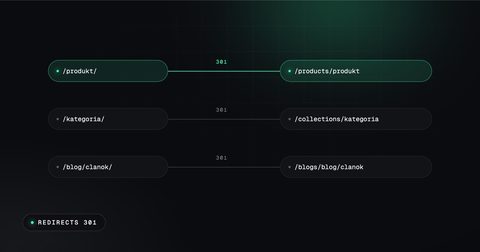
Redirects are managed under Content > Menus > View URL redirects, one by one or in bulk with a CSV import and export. They are permanent 301 redirects and work immediately. As of 3 November 2026, a store can have up to 100,000 redirects, and up to 20 million on Shopify Plus. Moving a whole store from Shoptet is covered in From Shoptet to Shopify without losing Google rankings; this section is about everyday changes.
- Only from a broken URL: a redirect works only if the old URL returns a 404. If a page still loads at that address, the redirect does nothing.
- Fixed paths: /products, /collections and /collections/all cannot be redirected, nor URLs starting with /apps, /application, /cart, /carts, /orders, /services or /shop.
- Deleted products: Shopify's own example redirects a deleted product to a similar product or its collection.
- Seasonal collections: a hidden collection returns a 404, so a redirect from it works. When the collection is made visible again, Shopify deletes the redirect automatically. The same applies to products in Draft.
- Changed handles: for collections, pages and blogs, the help centre describes an option to redirect the old URL when the handle changes. For products it does not, so after a product handle change the redirect list is worth checking.
- Markets subfolders: the same help page says once that redirects apply to all market subfolders and once that they do not apply automatically. Redirects should therefore be tested in every subfolder, for example /de-at/.
Structured data provided by Shopify themes
According to Shopify's help centre, all current Shopify-supported themes and all themes from the Theme Store include structured data by default, so product pages can show price, availability and reviews in search results without extra code. The Liquid filter structured_data outputs a product as schema.org Product, or as ProductGroup when it has variants, and a blog post as Article.
On 3 November 2026, the demo stores of the Dawn and Horizon themes output Product and ProductGroup on product pages, Organization on every page, and Article on blog posts. A BreadcrumbList was not found on the product pages.
Google distinguishes product snippets from merchant listings, which are for pages where the product can be bought and can include shipping and returns. Google also recommends return policy markup under Organization. What to check in a Shopify store:
- Test a product page in Google's Rich Results Test.
- Make sure a review app or SEO app does not add a second Product block next to the theme's own.
- With several currencies, Shopify's developer documentation says the price currency should follow the cart currency, not the store currency.
International SEO with Shopify Markets: subfolders, domains and hreflang
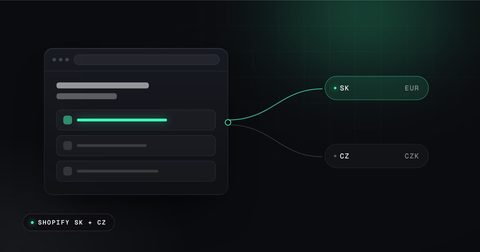
Shopify Markets lets one store serve several countries and languages, each on its own URL. International domains are available from the Basic plan and need a custom domain, not myshopify.com. Translations come from the Translate & Adapt app or a compatible app, and selling in several currencies needs Shopify Payments.
| Option | Example | Shopify's assessment | Automatic hreflang |
|---|---|---|---|
| Subfolders | example.com/de-at | shares the authority of the primary domain, lowest setup effort, recommended for most stores | yes |
| Subdomains | at.example.com | independent authority, which builds up over time; DNS setup per subdomain | yes |
| Country domains | example.at | strongest local signal, most effort, each domain builds its own ranking | yes |
| Primary domain only | example.com for all | no SEO traffic from secondary markets | no |
Language-only subfolders such as /de or /en can exist only on the primary market. On secondary markets, a subfolder combines language and country, such as /de-at or /de-ch. A German store on example.de that adds Austria and Switzerland as subfolders therefore gets /de-at and /de-ch.
Hreflang is added automatically: Shopify adds hreflang tags through the theme's content_for_header for every market with its own domain, subdomain or subfolder, plus an x-default tag. Every version has a canonical tag that points to itself. Shopify's developer documentation warns that adding custom hreflang tags on top of the automatic ones can create duplicate or conflicting annotations. If a theme or app already outputs hreflang, the automatic tags are switched off under Online Store > Preferences, never both at once.
Redirection and crawlers: automatic redirection to the visitor's market applies to customers, but Shopify excludes known search engine crawlers, so every version can be indexed. Within the EU, Shopify does not redirect EU customers automatically, for legal reasons. This fits Google's advice not to redirect users based on a guessed language and not to adapt content by IP address, since Googlebot usually crawls from the US. Google determines the language from the visible content, so each version needs fully translated texts, not just a translated menu.
A product that is not in a market's catalogue returns a 404 page in that market and is left out of its sitemap. The metafield seo.hidden hides a product in all markets at once.
Page speed in Shopify
The Shopify admin shows a summary of the three Core Web Vitals (LCP, INP and CLS) under Online Store > Themes, with full reports under Analytics > Reports. According to Shopify, the summary is based on real user data from the past 30 days, rated at the 75th percentile, and needs the store out of private mode. Google recommends good Core Web Vitals for success in Search. The thresholds, the typical causes on mobile and what to fix first are covered in Why an online store does not sell on mobile.
Collections as category landing pages
In a Shopify store, collections are the category pages that compete for terms such as "running shoes" or "gift for him". Shopify's help centre describes the structure as Homepage > Collections > Products, and Google's ecommerce guidance asks for links from menus to categories, from categories to subcategories and from there to all products, because Googlebot generally does not use a store's search box.
- Text: themes from the Theme Store must output the collection title, description and image. A short, useful description with the main term helps the page; a collection with only a product grid gives Google little to rank.
- Title and description: every collection gets its own page title and meta description, not the same boilerplate with one word changed.
- Menus: main collections belong in the main menu under Content > Menus, with drop-down items for subcategories.
- Filters and sorting: the default robots.txt blocks sorted URLs, tag combinations and URLs with two or more filters, while a single filter stays crawlable. A filter combination that people actually search for, such as "red dresses", works better as its own collection with its own text.
The Shopify blog
Every store comes with a blog called News, with posts at /blogs/news/post-handle. Each post has its own page title, meta description, handle and featured image with alt text. The blog is the place for questions that product pages do not answer, such as "how to choose a size" or "how to care for merino wool". Shopify's help centre recommends linking from a post to the related product or collection, which also helps Google find those pages.
Shopify recommends at least 500 words for blog posts and at least 250 for other pages. Google's SEO starter guide says that content length alone does not matter for ranking and there is no magic word count. A post should be as long as the question needs.
Setting up Google Search Console for Shopify
Search Console shows which searches lead to the store, which pages are indexed and which errors Google found. Two ways of adding a Shopify store:
- Domain property (Google's option for the whole domain): covers all subdomains and both http and https, but can be confirmed only with a DNS record. For a domain bought through Shopify, the record is added under Settings > Domains; for another registrar, in its DNS settings. This does not depend on the theme.
- URL-prefix property (Shopify's step-by-step guide): add https://example.com, choose the HTML tag, and paste the meta tag on a blank line directly below
<head>in the theme'stheme.liquid. If Google shows an error, Shopify advises waiting 15 minutes and trying again. The tag lives in that theme, so it has to be carried over when the theme changes.
After confirmation, the sitemap is submitted under Indexing > Sitemaps by entering sitemap.xml; with international domains, every domain is submitted separately. The robots.txt report in Search Console works only for a domain property or a URL-prefix property without a path. Shopify's help centre says indexing after launch can take from a few days to a few weeks, and Google does not guarantee a time.
Google Merchant Center and free listings with the Google & YouTube app
Google's free listings let products appear at no cost in Google Search, the Shopping tab, Google Images, Lens, YouTube, Maps and Gemini, according to Google's Merchant Center help on 3 November 2026. They show product pages only, not category pages, and they are switched on by default for new Merchant Center accounts. Google does not guarantee that products will be shown.
The Google & YouTube app, developed by Google and free to install, syncs Shopify products, deals and shipping to Merchant Center; ads are paid separately through Google Ads. Shopify's help page mentions free Shopping tab listings explicitly only for eligible stores selling in the United States and says the channel is available only for certain countries and currencies, so availability for a given country should be checked when setting up the channel. Requirements before connecting:
- The store is not in private mode and has a payment provider.
- A refund policy and terms of service are in the footer menu.
- At least one contact method is visible: address, phone, email or a contact form.
- Shipping is set up: Google requires shipping settings or a shipping attribute for products in, among others, Germany, Austria, Switzerland, Czechia, Slovakia, Poland and Hungary.
- Caution with an existing Merchant Center account: Shopify says an existing product feed is overwritten when the channel syncs.
Google says Merchant Center is not required for normal search results, but it is required for some surfaces such as the Shopping tab, and a feed gives more control over when price and stock changes reach Google.
AI search: what Google says about AI Overviews and AI Mode
Google's page "AI features and your website" (last updated on 10 December 2025) says that the best practices for SEO remain relevant for AI Overviews and AI Mode and that there are no additional requirements. To be shown as a supporting link, a page must be indexed and eligible to appear with a snippet. Google adds that site owners do not need to create new machine-readable files, AI text files or special schema.org markup.
The practical points Google lists apply directly to a Shopify store:
- Crawling allowed in robots.txt and by any CDN or hosting in front of the store.
- Important content available as text, for example size tables as text, not as images.
- Structured data that matches the visible text on the page, such as the same price.
- Merchant Center and Business Profile information kept up to date.
Traffic from AI features is counted in Search Console's Performance report under the "Web" search type. Google-Extended, the robots.txt token for Gemini training and grounding, does not affect inclusion or ranking in Google Search. For other assistants, Shopify's help centre says that stores selling through agentic storefronts such as ChatGPT or Microsoft Copilot send product data through Shopify Catalog independently of robots.txt; blocking AI crawlers in robots.txt.liquid only affects discovery on the open web.
On AI-written content, Google warns that generating many pages without adding value for users may violate its policy on scaled content abuse. Merchant Center requires AI-generated product titles and descriptions to be labelled separately.
Common Shopify SEO advice checked against the sources
| Common advice | What the source says |
|---|---|
| The /products/ prefix hurts SEO | Google: keywords in the URL path have hardly any effect beyond breadcrumbs. |
| Duplicate URLs under collections cause a penalty | Google: content under several URLs does not cause a manual action; Shopify sets canonical tags automatically. |
| Product texts need a minimum word count | Shopify recommends 250 words; Google says length alone does not matter for ranking. |
| Meta keywords help | Google Search does not use the keywords meta tag. |
| AI search needs an llms.txt or special schema | Google: no AI text files or special schema.org markup are needed for AI Overviews or AI Mode. |
| Blocking a page in robots.txt removes it from Google | Google: robots.txt prevents crawling; noindex keeps a page out of results. |
| Google indexes a new store in two or three days | Shopify's SEO overview mentions 48 to 72 hours, its migration help a few days to a few weeks; Google does not guarantee a time. |
Shopify SEO checklist, step by step
- Connect the custom domain and switch off private mode once the store is ready.
- Add a domain property in Google Search Console, confirm it by DNS and submit sitemap.xml.
- Open example.com/robots.txt and check that no old robots.txt.liquid adds rules such as
Disallow: /search. - Write the homepage title and meta description under Online Store > Preferences.
- Give every collection a description, its own page title and meta description, and a place in the main menu.
- Write unique product titles, descriptions and meta descriptions instead of manufacturer texts, and check AI drafts before saving.
- Add alt text to product, collection and blog images, and give image files descriptive names before upload.
- Check that product cards link to /products/ URLs and that each page has exactly one canonical tag.
- Test a product page in the Rich Results Test and look for duplicate Product markup from apps.
- Hide thin pages with
seo.hiddenor Unlisted rather than blocking them in robots.txt. - For every deleted product or changed handle, check the redirect under Content > Menus > URL redirects.
- With several countries, choose subfolders or domains in Markets, translate the content fully and keep only one source of hreflang tags.
- Read the Core Web Vitals summary under Online Store > Themes.
- Install the Google & YouTube app, set up shipping and policies, and watch the Needs attention tab in Merchant Center.
- Plan blog posts for the questions customers ask and link them to products and collections.
- Every month, review queries, indexed pages and errors in Search Console.
For a store that is already live, an e-shop audit goes through these points, including SEO, and sorts what to fix first; it costs €690 for a smaller store and €1,090 for a larger one, and Alpinefy is not a VAT payer, so the price is final. The free Webcheck tests the homepage in about 30 seconds. Selling in Slovakia and Czechia with Shopify is covered in Shopify in Slovakia and Czechia: a practical guide for 2026.
Sources, checked on 3 November 2026: Shopify SEO overview, Shopify titles, descriptions and alt text, Shopify product search engine listing, Shopify collection settings, Shopify pages, Shopify blogs, Shopify sitemap and Search Console, Shopify robots.txt.liquid, Shopify hiding pages from search engines, Shopify URL redirects, Shopify international domains, Shopify international SEO for markets, Shopify web performance, Shopify migration considerations, Shopify Google & YouTube channel, Google & YouTube channel requirements, Google & YouTube app, Shopify standard URLs, Liquid filter within, Shopify theme SEO metadata, customising robots.txt, Shopify hreflang in themes, Liquid filter structured_data, Shopify multiple currencies and languages, Theme Store requirements, Dawn demo store robots.txt, Google SEO starter guide, Google canonical URLs, Google title links, Google snippets and meta descriptions, Google image SEO, Google faceted navigation, Google product structured data, Google merchant listings, Google product data, Google ecommerce site structure, Google multi-regional sites, Google Core Web Vitals, Google AI features and your website, Google-Extended, Google generative AI content, Search Console properties, Search Console robots.txt report, Merchant Center free listings.
Frequently asked questions
Can the /products/ and /collections/ part of Shopify URLs be changed?
Shopify's developer documentation describes /products/ and /collections/ as standard storefront paths and describes other paths only for headless Hydrogen stores, as of 3 November 2026; in a normal theme only the handle after the prefix can be edited. Google's SEO starter guide says keywords in the URL path have hardly any effect on ranking beyond breadcrumbs.
How many URL redirects can a Shopify store have?
According to Shopify's help centre on 3 November 2026, a store can have up to 100,000 URL redirects, or up to 20 million on Shopify Plus. A redirect only works from a URL that returns a 404, and fixed paths such as /products and /collections cannot be redirected.
Does Shopify add hreflang tags automatically with Markets?
Yes, as of 3 November 2026 Shopify adds hreflang tags automatically for every market that has its own domain, subdomain or subfolder, plus an x-default tag. On secondary markets, subfolders combine language and country, for example /de-at, and custom hreflang tags should not be added on top of the automatic ones.
What title length does Shopify recommend for SEO?
Shopify's help centre on 3 November 2026 recommends a page title of 60 characters or fewer, allows up to 70 characters in the field and recommends 160 characters for meta descriptions on pages. Google says there is no length limit and shortens titles in search results to fit the device.
Does a Shopify store need special optimisation for Google's AI Overviews?
No, Google's page on AI features, last updated on 10 December 2025, says there are no additional requirements for AI Overviews or AI Mode beyond normal SEO. A page must be indexed and eligible for a snippet, and Google says no AI text files or special schema.org markup are needed.